Ohio Social Security Office Directory: Address, Hours, Phone Numbers

Donoff & Lutz, LLC • April 11, 2026

A directory of Ohio's Social Security offices with addresses, hours, and phone numbers.
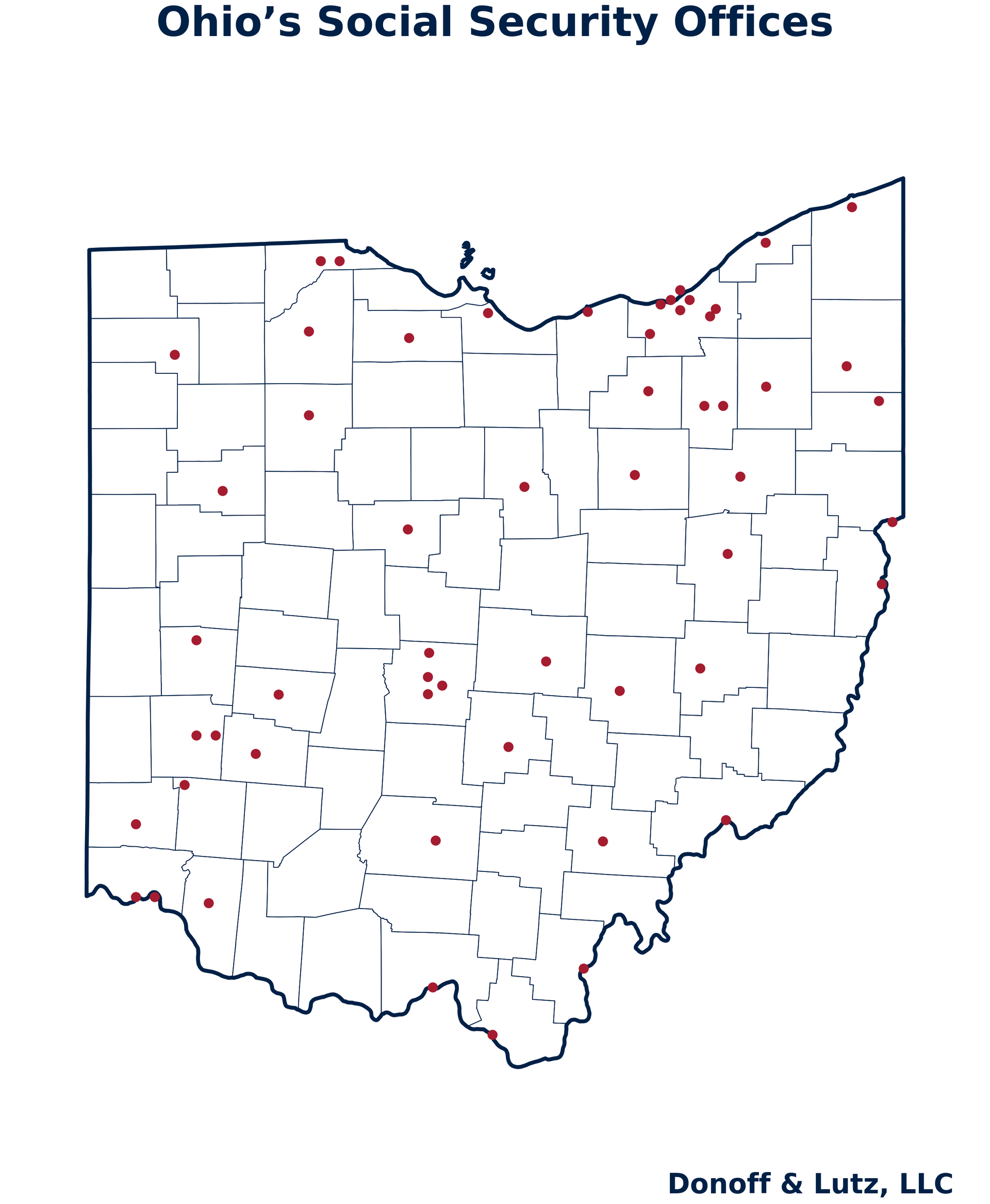
This directory lists local Social Security offices in Ohio. You can contact your local Social Security office for benefits questions, card and record issues, document drop-offs, and other needs. Please note that the Social Security Administration says many tasks can be handled online or by phone, and it recommends making an appointment before you visit your local office.


If you cannot reach your local office—in our many years of practice, we have consistently found that many Ohio Social Security offices stop answering the phone earlier than their published close time, often around 3:00pm—you can call the national SSA phone line at (800) 772-1213, on Monday to Friday from 8:00am-7:00pm. If you call into your local office and the wait time is long, you may be offered the option to receive a return call.


To identify your local office, please click here and enter your zip code.


If you notice that an office address or phone number has changed, please contact our office so that we can update this directory. We will check the directory on a monthly basis to confirm the contact information.


If you need help with a Social Security disability claim, Donoff & Lutz, LLC offers free consultations for Social Security Disability Insurance (SSDI) and Supplemental Security Income (SSI) matters at 100 W. First St., Dayton, OH 45402; please call (937) 223-4400 or email disability@donofflutz.com.


Ohio Social Security Offices by City


Akron Social Security Office (Downtown Akron location)

Address: 2 S Main St, 2nd Floor, Akron, OH 44308

Hours: Monday-Friday, 9:00 a.m.-4:00 p.m.

Local phone: (877) 600-2858


Akron Social Security Office (West Akron location)

Address: 2166 Romig Rd, Akron, OH 44320

Hours: Monday-Friday, 9:00 a.m.-4:00 p.m.

Local phone: (866) 837-5359


Ashtabula Social Security Office

Address: 4815 State Rd, Ashtabula, OH 44004

Hours: Monday-Friday, 9:00 a.m.-4:00 p.m.

Local phone: (877) 223-6059


Athens Social Security Office

Address: 743A E State St, Athens, OH 45701

Hours: Monday-Friday, 9:00 a.m.-4:00 p.m.

Local phone: (877) 840-7683


Batavia Social Security Office

Address: 1050 Hospital Dr, Batavia, OH 45103

Hours: Monday-Friday, 9:00 a.m.-4:00 p.m.

Local phone: (800) 453-0494


Beachwood Social Security Office (East Cleveland service area)

Address: 3591 Park East Dr, Beachwood, OH 44122

Hours: Monday-Friday, 9:00 a.m.-4:00 p.m.

Local phone: (877) 402-0823


Bowling Green Social Security Office

Address: 745 Innovation Dr, Bowling Green, OH 43402

Hours: Monday-Friday, 9:00 a.m.-4:00 p.m.

Local phone: (866) 931-7674


Cambridge Social Security Office

Address: 1225 Woodlawn Ave Suite 105, Cambridge, OH 43725

Hours: Monday-Friday, 9:00 a.m.-4:00 p.m.

Local phone: (866) 883-5281


Canton Social Security Office

Address: 301 McKinley Ave Sw Suite 100, Canton, OH 44702

Hours: Monday-Friday, 9:00 a.m.-4:00 p.m.

Local phone: (877) 255-1509


Chillicothe Social Security Office

Address: 44 Stoneridge Dr, Chillicothe, OH 45601

Hours: Monday-Friday, 9:00 a.m.-4:00 p.m.

Local phone: (877) 452-6971


Cincinnati Social Security Office (North Cincinnati location)

Address: 10205 Reading Rd, Cincinnati, OH 45241

Hours: Monday-Friday, 9:00 a.m.-4:00 p.m.

Local phone: (877) 833-2704


Cincinnati Social Security Office (Downtown Cincinnati location)

Address: 550 Main St Room 2960, Cincinnati, OH 45202

Hours: Monday-Friday, 9:00 a.m.-4:00 p.m.

Local phone: (866) 593-1519


Cleveland Social Security Office (Buckeye-Shaker area location)

Address: 11601 Shaker Blvd, Cleveland, OH 44120

Hours: Monday-Friday, 9:00 a.m.-4:00 p.m.

Local phone: (877) 635-3546


Cleveland Social Security Office (Downtown Cleveland location)

Address: 1240 E 9th St Room 793 AJC Fed Bldg, Cleveland, OH 44199

Hours: Monday-Friday, 9:00 a.m.-4:00 p.m.

Local phone: (877) 378-9078


Cleveland Social Security Office (Northeast Cleveland location)

Address: 15250 S Waterloo Rd, Cleveland, OH 44110

Hours: Monday-Friday, 9:00 a.m.-4:00 p.m.

Local phone: (866) 592-1802


Cleveland Social Security Office (Northwest Cleveland location)

Address: 4321 Lorain Ave Suite B, Cleveland, OH 44113

Hours: Monday-Friday, 9:00 a.m.-4:00 p.m.

Local phone: (877) 876-3172


Columbus Social Security Office (West Columbus location)

Address: 1060 Georgesville Rd, Columbus, OH 43228

Hours: Monday-Friday, 9:00 a.m.-4:00 p.m.

Local phone: (866) 656-0178


Columbus Social Security Office (Downtown Columbus location)

Address: 200 N High St Room 225 Fed Bldg, Columbus, OH 43215

Hours: Monday-Friday, 9:00 a.m.-4:00 p.m.

Local phone: (866) 964-1723


Columbus Social Security Office (East Columbus location)

Address: 220 S Hamilton Rd, Columbus, OH 43213

Hours: Monday-Friday, 9:00 a.m.-4:00 p.m.

Local phone: (866) 592-0733


Dayton Social Security Office (Downtown Dayton location)

Address: 200 W 2nd St Federal Bldg Room 209, Dayton, OH 45402

Hours: Monday-Friday, 9:00 a.m.-4:00 p.m.

Local phone: (888) 329-5724


Dayton Social Security Office (West Dayton location)

Address: 4375 Hoover Ave, Dayton, OH 45417

Hours: Monday-Friday, 9:00 a.m.-4:00 p.m.

Local phone: (877) 895-0038


Defiance Social Security Office

Address: 273 Stadium Dr, Defiance, OH 43512

Hours: Monday-Friday, 9:00 a.m.-4:00 p.m.

Local phone: (877) 600-2860


Steubenville Social Security Office

Address: 500 Market St, 4th Floor, Steubenville, OH 43952

Hours: Monday-Friday, 9:00 a.m.-4:00 p.m.

Local phone: (866) 253-6889


East Liverpool Social Security Office

Address: 120 East Fourth St, East Liverpool, OH 43920

Hours: Monday-Friday, 9:00 a.m.-4:00 p.m.

Local phone: (855) 269-9178


Findlay Social Security Office

Address: 15085 Flag City Dr, Findlay, OH 45840

Hours: Monday-Friday, 9:00 a.m.-4:00 p.m.

Local phone: (877) 628-6548


Franklin Social Security Office (Middletown area)

Address: 3715 Towne Blvd, Franklin, OH 45005

Hours: Monday-Friday, 9:00 a.m.-4:00 p.m.

Local phone: (877) 457-1738


Fremont Social Security Office

Address: 2220 Enterprise St, Fremont, OH 43420

Hours: Monday-Friday, 9:00 a.m.-4:00 p.m.

Local phone: (866) 614-4760


Gallipolis Social Security Office

Address: 2455 State Route 160, Gallipolis, OH 45631

Hours: Monday-Friday, 9:00 a.m.-4:00 p.m.

Local phone: (888) 397-6343


Hamilton Social Security Office

Address: 6553 Winford Ave, Hamilton, OH 45011

Hours: Monday-Friday, 9:00 a.m.-4:00 p.m.

Local phone: (888) 862-3585


Ironton Social Security Office

Address: 611 Vernon St, Ironton, OH 45638

Hours: Monday-Friday, 9:00 a.m.-4:00 p.m.

Local phone: (866) 789-1073


Lakewood Social Security Office (Cleveland West service area)

Address: 17513 Detroit Ave, Lakewood, OH 44107

Hours: Monday-Friday, 9:00 a.m.-4:00 p.m.

Local phone: (866) 964-4389


Lancaster Social Security Office

Address: 252 Venture Place, Lancaster, OH 43130

Hours: Monday-Friday, 9:00 a.m.-4:00 p.m.

Local phone: (877) 841-5712


Lima Social Security Office

Address: 401 W North St Federal Bldg Suite 101, Lima, OH 45801

Hours: Monday-Friday, 9:00 a.m.-4:00 p.m.

Local phone: (800) 223-0288


Lorain Social Security Office

Address: 221 W 5th St, Lorain, OH 44052

Hours: Monday-Friday, 9:00 a.m.-4:00 p.m.

Local phone: (866) 415-0172


Mansfield Social Security Office

Address: 1287 S Trimble Rd, Mansfield, OH 44907

Hours: Monday-Friday, 9:00 a.m.-4:00 p.m.

Local phone: (888) 491-1882


Marietta Social Security Office

Address: 1301 Greene St, Marietta, OH 45750

Hours: Monday-Friday, 9:00 a.m.-4:00 p.m.

Local phone: (855) 433-5872


Marion Social Security Office

Address: 1363 Wellness Dr, Marion, OH 43302

Hours: Monday-Friday, 9:00 a.m.-4:00 p.m.

Local phone: (888) 475-0296


Medina Social Security Office

Address: 4035 N Jefferson St, Medina, OH 44256

Hours: Monday-Friday, 9:00 a.m.-4:00 p.m.

Local phone: (866) 613-2774


Middleburg Heights Social Security Office (Cleveland Southwest service area)

Address: 7344 Pearl Rd Suite 101, Middleburg Heights, OH 44130

Hours: Monday-Friday, 9:00 a.m.-4:00 p.m.

Local phone: (866) 931-9176


New Philadelphia Social Security Office

Address: 1260 Monroe St NW Suite 1C, New Philadelphia, OH 44663

Hours: Monday-Friday, 9:00 a.m.-4:00 p.m.

Local phone: (866) 731-4236


Newark Social Security Office

Address: 125 Derby Downs Rd, Newark, OH 43055

Hours: Monday-Friday, 9:00 a.m.-4:00 p.m.

Local phone: (866) 737-3514


Painesville Social Security Office

Address: 55 W Jackson St, Painesville, OH 44077

Hours: Monday-Friday, 9:00 a.m.-4:00 p.m.

Local phone: (877) 692-3143


Piqua Social Security Office

Address: 277 S Looney Rd, Piqua, OH 45356

Hours: Monday-Friday, 9:00 a.m.-4:00 p.m.

Local phone: (866) 931-2520


Portsmouth Social Security Office

Address: 921 Fourth St, Portsmouth, OH 45662

Hours: Monday-Friday, 9:00 a.m.-4:00 p.m.

Local phone: (866) 613-3961


Ravenna Social Security Office

Address: 444 Enterprise Pkwy, Ravenna, OH 44266

Hours: Monday-Friday, 9:00 a.m.-4:00 p.m.

Local phone: (855) 863-3562


Sandusky Social Security Office

Address: 252 Wayne St, Sandusky, OH 44870

Hours: Monday-Friday, 9:00 a.m.-4:00 p.m.

Local phone: (866) 588-7397


Springfield Social Security Office

Address: 1610 N Limestone St, Springfield, OH 45503

Hours: Monday-Friday, 9:00 a.m.-4:00 p.m.

Local phone: (877) 405-1451


Toledo Social Security Office (Downtown Toledo location)

Address: 433 N Summit St Suite 1000, Toledo, OH 43604

Hours: Monday-Friday, 9:00 a.m.-4:00 p.m.

Local phone: (866) 331-2196


Toledo Social Security Office (West Toledo location)

Address: 4906 Monroe St Suite A, Toledo, OH 43623

Hours: Monday-Friday, 9:00 a.m.-4:00 p.m.

Local phone: (877) 274-5429


Warren Social Security Office

Address: 258 E Market St,, 1st Flooroor, Warren, OH 44481

Hours: Monday-Friday, 9:00 a.m.-4:00 p.m.

Local phone: (866) 964-7339


Warrensville Heights Social Security Office

Address: 18711 Miles Rd, Warrensville Heights, OH 44128

Hours: Monday-Friday, 9:00 a.m.-4:00 p.m.

Local phone: (877) 405-0474


Wooster Social Security Office

Address: 2345 Gateway Dr Suite B, Wooster, OH 44691

Hours: Monday-Friday, 9:00 a.m.-4:00 p.m.

Local phone: (877) 319-0729


Worthington Social Security Office

Address: 1051 Worthington Woods, Worthington, OH 43085

Hours: Monday-Friday, 9:00 a.m.-4:00 p.m.

Local phone: (866) 789-0957


Xenia Social Security Office

Address: 80 N Progress Dr, Xenia, OH 45385

Hours: Monday-Friday, 9:00 a.m.-4:00 p.m.

Local phone: (866) 755-5372


Youngstown Social Security Office

Address: 354 E Federal St, Youngstown, OH 44503

Hours: Monday-Friday, 9:00 a.m.-4:00 p.m.

Local phone: (877) 714-0393


Zanesville Social Security Office

Address: 3823 James Court, Zanesville, OH 43701

Hours: Monday-Friday, 9:00 a.m.-4:00 p.m.

Local phone: (855) 884-3408


Disclaimer: The information provided in this blog is for general informational purposes only and does not constitute legal advice. Reading this blog does not create an attorney-client relationship. For advice specific to your situation, please contact speak directly with a Social Security disability lawyer.
By Rebecca R. Fate April 19, 2026
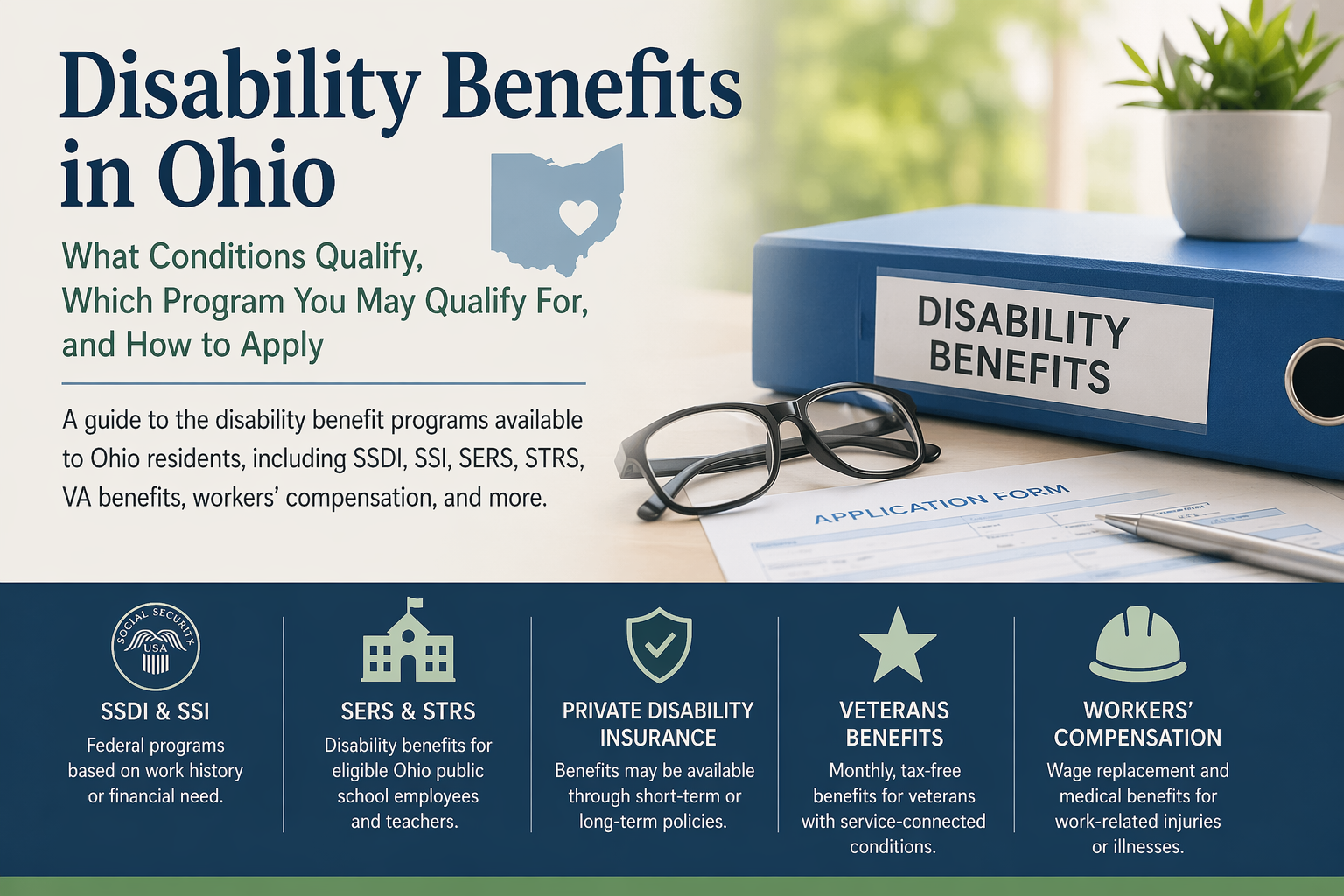
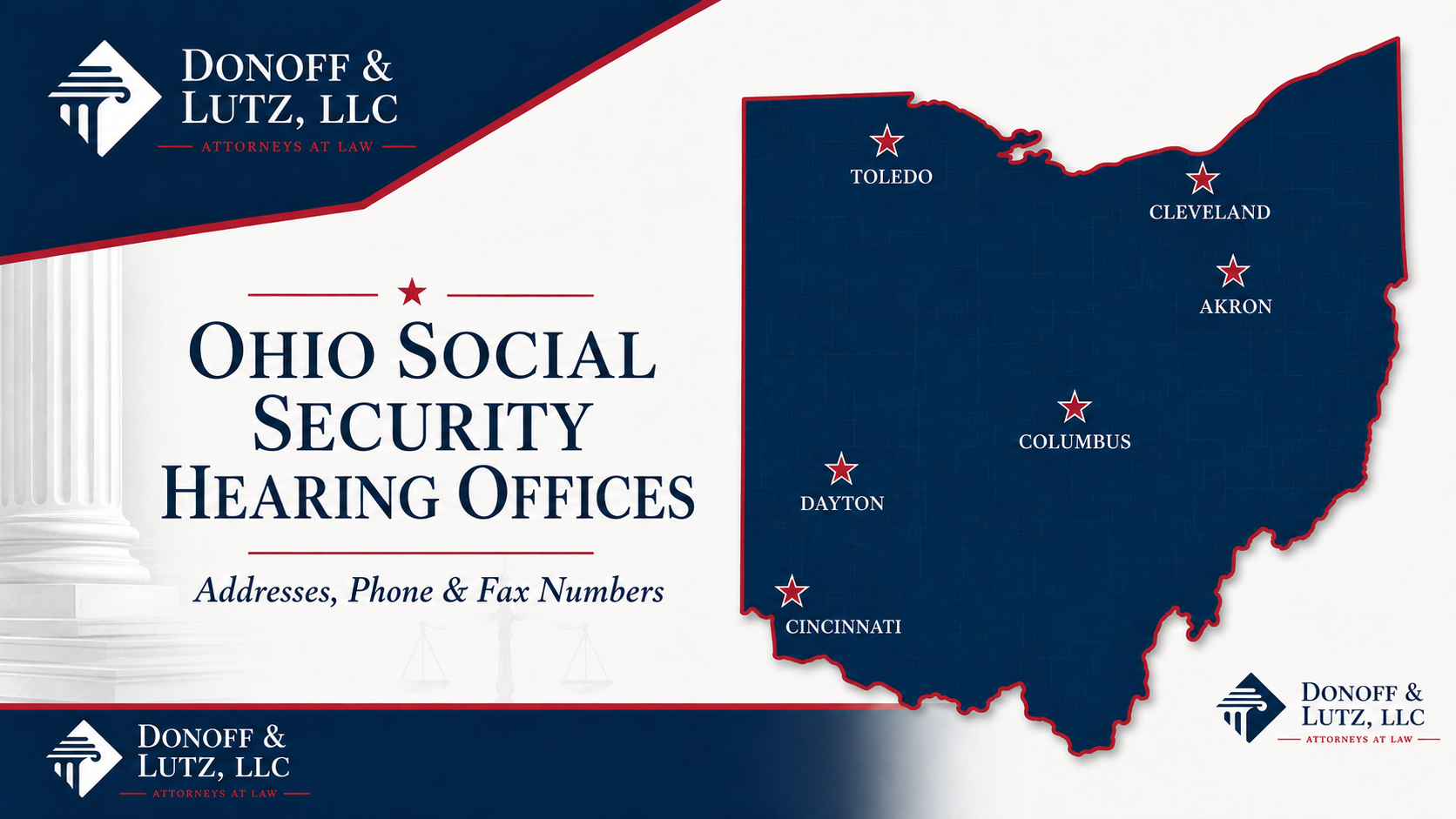
No one plans disability. If the time comes, you may not know what programs apply to your situation, what medical conditions qualify, how much in benefits each program provides, and how long the process takes. The first thing to know is that Ohio does not have its own state-run disability cash benefits program for most workers. Instead, most Ohio residents who cannot work because of a medical condition most commonly look to federal disability benefits, such as Social Security Disability Insurance (SSDI) or Supplemental Security Income (SSI), or to more specific disability programs applicable to certain situations. What disability programs are available in Ohio? Ohio does not operate a separate state disability insurance program like some states do. Ohio residents can still apply for federal disability-related benefits, if they have the required work history, income, or military service. The most common disability benefit programs available to Ohioans include: Social Security Disability Insurance (SSDI) Social Security Disability Insurance (SSDI) is a federal program for people who can no longer work because of a serious medical condition and who have paid enough into the Social Security program through their employment taxes. In many cases, eligibility depends on whether you have earned enough work credits through recent employment. To qualify for SSDI, you must become disabled prior to your “date last insured,” the last date that you have protection against disability. Your monthly SSDI benefit is generally based on your earnings history and how much you paid into Social Security over time. SSDI benefits increase annually to adjust for the cost of living. Supplemental Security Income (SSI) Supplemental Security Income (SSI) is also a federal disability program, but unlike SSDI, it is based on financial need rather than work history. If you have not worked enough, or recently enough, to qualify for SSDI, you may still qualify for SSI if you have limited income and limited assets. SSI usually pays less than SSDI, but it can still provide important monthly support for disabled adults with very few resources. Ohio’s School Employees Retirement System (SERS) Ohio’s School Employees Retirement System (SERS) disability program provides monthly benefits to eligible non-teaching public school employees who become permanently physically or mentally disabled for their SERS-covered job. To qualify, a member generally must have become disabled after joining SERS, apply within two years after contributing service stops, and not be receiving a SERS service retirement benefit or disability benefits from another Ohio retirement system; benefit amounts under the current plan are generally the greater of 45% of final average salary or service credit × 2.2% of final average salary. Ohio’s State Teachers Retirement System (STRS Ohio) Ohio’s State Teachers Retirement System (STRS Ohio) disability program provides monthly benefits to eligible teachers and other STRS members who have a physical or mental condition that prevents them from performing the duties of their most recent STRS-covered job. STRS Ohio does not provide short-term or partial disability benefits; generally, the condition must be expected to last at least 12 months. Private short-term or long-term disability insurance If you or your employer purchased short-term disability insurance or long-term disability insurance before you became disabled, you may be able to file a claim under that policy. These benefits are usually paid through a private insurance company and are based on the terms of the policy. Veterans’ disability benefits VA disability compensation is a monthly, tax-free benefit for veterans who were injured or became ill during military service, or whose service made an existing condition worse. Eligibility can include both physical and mental health conditions, and the amount paid generally depends on the veteran’s disability rating and dependents. Workers’ compensation Ohio workers’ compensation disability benefits provide wage replacement and related benefits when an employee is injured or develops an occupational disease because of work. Depending on the claim, benefits may be temporary total disability while the worker cannot work, permanent partial disability for lasting impairment, or permanent total disability when the worker cannot return to sustained employment. What conditions qualify for Social Security disability in Ohio? To qualify for Social Security disability, you must meet both medical and non-medical eligibility requirements. Perhaps most notably, a medical condition must prevent you from working for at least 12 months (or be expected to last 12 months) or result in death. You generally cannot receive benefits if your condition is expected to improve within 12 months. The key issue is not just whether you have been diagnosed with a condition. The real question is whether your condition limits your ability to perform substantial work on a sustained basis. It is misleading—and sometimes plain wrong—to say that certain conditions are the reason for disability in some percentage of cases. Because the Social Security Administration asks about your functional capacities, a disability claim turns on the limitations caused by all medical conditions. We have won cases, for example, based on the collective effects from lower back problems and depression. Still, we can identify some conditions that we very commonly see in successful disability claims: mental health disorders, such as depression, anxiety, bipolar disorder, or schizophrenia intellectual disability and related developmental disorders musculoskeletal disorders, such as arthritis and degenerative disc disease nervous system disorders, such as epilepsy, strokes, and Alzheimer’s circulatory system disorders, such as coronary or peripheral artery disease respiratory disorders, such as chronic obstructive pulmonary disease (COPD) severe injuries, such as car accidents or workplace injuries This is not a comprehensive list. Since our family first started helping with disability claims in the late 1970s, we have seen just about every condition. It all turns on how your condition limits your ability to work. Do you automatically qualify for SSDI/SSI based on your diagnosis? No! This is a common misconception based on Social Security’s “Listings” or “Blue Book” conditions. While some diagnoses appear in Social Security’s listings, that does not mean a diagnosis alone automatically qualifies you for benefits. The “Listings” only result in disability if the claimant has certain measures indicating that the condition is particularly significant, and most people unfortunately do not meet those stringent requirements. In most cases, Social Security looks at how severe your condition is, how long it has lasted or is expected to last, what treatment you have received, and—most importantly—how your symptoms limit your ability to work. Even if your condition is listed, you still usually need medical evidence showing that you meet the specific requirements. SSDI qualifications in Ohio To qualify for SSDI in Ohio, like elsewhere in the United States, you generally must: have a medical condition that prevents you from working for at least 12 months or is expected to result in death be under full retirement age when applying for disability benefits have enough recent work history and work credits for your age SSI qualifications in Ohio To qualify for SSI in Ohio, like elsewhere in the United States, you generally must: meet Social Security’s disability standard have very limited income have very limited assets or resources Because SSI is a needs-based program, Social Security looks closely at your bank accounts, available resources, household finances, and other income sources when deciding eligibility. How to apply for Social Security disability in Ohio You can apply for disability benefits in Ohio either on your own or with help from a representative or lawyer. In most cases, you will need to submit an application along with additional information about your medical treatment, work history, daily limitations, and financial circumstances if you are applying for SSI. There are generally four main ways to apply for disability benefits: online through the Social Security Administration website ; through a phone call with Social Security; through paper applications, using the Social Security Administration forms ; or in person at your local Social Security office . Before applying, it helps to gather: medical records names and contact information for doctors and specialists work history education records bank account and financial information medications and treatment history dates of treatment and hospitalizations When completing the forms, it is important to be truthful, specific, consistent, and realistic about your limitations. Social Security may also ask for more information or request that you attend a consultative examination. Who handles disability claims in Ohio? In Ohio, the medical review of SSDI and SSI claims is handled by the Division of Disability Determination (DDD) within Opportunities for Ohioans with Disabilities (OOD) , working under agreement with—and funded by—the Social Security Administration. That means disability claims in Ohio usually move through both a federal application system, processed at a local office, and an Ohio-based medical determination through an office in Columbus. How long does it take to get disability benefits in Ohio? The disability process in Ohio can be slow, especially if your case moves beyond the initial application stage. The Social Security Administration estimates that an initial disability decision generally takes 6 to 8 months. But initial disability processing times vary by state. The Social Security Administration Office of the Inspector General (OIG) published a July 2025 report that indicates Ohio, on average, processes initial disability claims in 136.8 days. Just based on our experience, we might estimate that claims are currently processing a little slower than when the OIG issued its July 2025 report. The Social Security Administration has dealt with hiring freezes over the past few years , and our local offices have estimated lower staffing than within any manager’s memory. Moreover, the Social Security Administration has reallocated resources to improve phone call processing . While phone call times have improved, we understand that staff hours have been allocated away from disability claim processing. Many claims unfortunately have to proceed to the hearing level . After requesting a hearing, most people have to wait between 7 and 10 months for a hearing. At the time of publication, four Ohio-based hearing offices (Akron, Cincinnati, Cleveland, Toledo) have an average wait of seven months; the Columbus office takes an average of eight months; and the Dayton office takes an average of nine months. We might note that the Dayton, Ohio hearing office is one of the most efficient hearing offices in the country, with the Administrative Law Judges publishing more than two decisions per day ; in our opinion, the Dayton, Ohio hearing office is simply understaffed. How much do disability benefits pay in Ohio? The amount you receive depends on the program. SSDI payment amounts Your SSDI payment is based on your work history and past earnings. People with higher lifetime earnings usually receive larger monthly SSDI benefits than people with lower earnings histories. In 2026, the average monthly SSDI benefit is $1,630 per month, with a maximum benefit of $4,152 per month. SSI payment amounts In 2026, the federal benefit rate for SSI benefits is $994 per month for an individual, or $1,491 per month for a couple. In many cases, the Social Security Administration reduces monthly benefits due to an SSI recipient’s income or living situation. Ohio does not supplement the federal benefit rate with additional monetary benefits. What happens after you apply? Many disability applicants are denied at the initial stage. If that happens, the next steps may include: reconsideration (another review by the Division of Disability Determination (DDD) within Opportunities for Ohioans with Disabilities (OOD) ) a hearing before an administrative law judge further appeal to the Appeals Council and federal court. Because the process can take a long time, many people end up spending many months or even years moving through the system before receiving a final decision. Do you need a disability lawyer in Ohio? You are not required to hire a lawyer to apply for SSDI or SSI in Ohio. Many people apply on their own. Based on the statistics, however, claimants with attorneys seem to do much better: according to Government Accountability Office statistics, attorney-represented claimants are almost three times more likely to win at a hearing , and according to a National Bureau of Economic Research paper, attorney-represented claimants are approved 316 days faster . And, hopefully, a good attorney will make sure you are much more comfortable—and have to do much less work—during the disability claims process. Frequently asked questions about disability in Ohio How do I qualify for disability in Ohio? To qualify for disability benefits, you generally need a medical condition that prevents you from working for at least 12 months or is expected to result in death. You must also meet the technical rules for the program you are applying for, such as work-credit requirements for SSDI or income and asset limits for SSI. What conditions qualify for disability in Ohio? Many physical and mental conditions can qualify if they are severe enough to prevent substantial work for the required length of time. Common categories include mental disorders, musculoskeletal conditions, nervous system disorders, circulatory problems, and severe injuries. How long does it take to get approved for disability in Ohio? Approval times vary. SSA currently says an initial disability decision generally takes 6 to 8 months, and Ohio hearing-office wait times vary by office, with recent estimates ranging from about six months in Toledo to ten months in Dayton. How much does disability pay in Ohio? There is no single disability payment amount that applies to everyone. SSDI depends on your earnings history. SSI depends on financial need and other countable income. Does Ohio have a state disability program? In most cases, no. Ohio residents usually look to federal disability programs such as SSDI and SSI, along with private disability insurance or veterans benefits when applicable. Disclaimer: The information provided in this blog is for general informational purposes only and does not constitute legal advice. Reading this blog does not create an attorney-client relationship. For advice specific to your situation, please contact speak directly with a Social Security disability lawyer .
By Zachary P. Lutz April 18, 2026
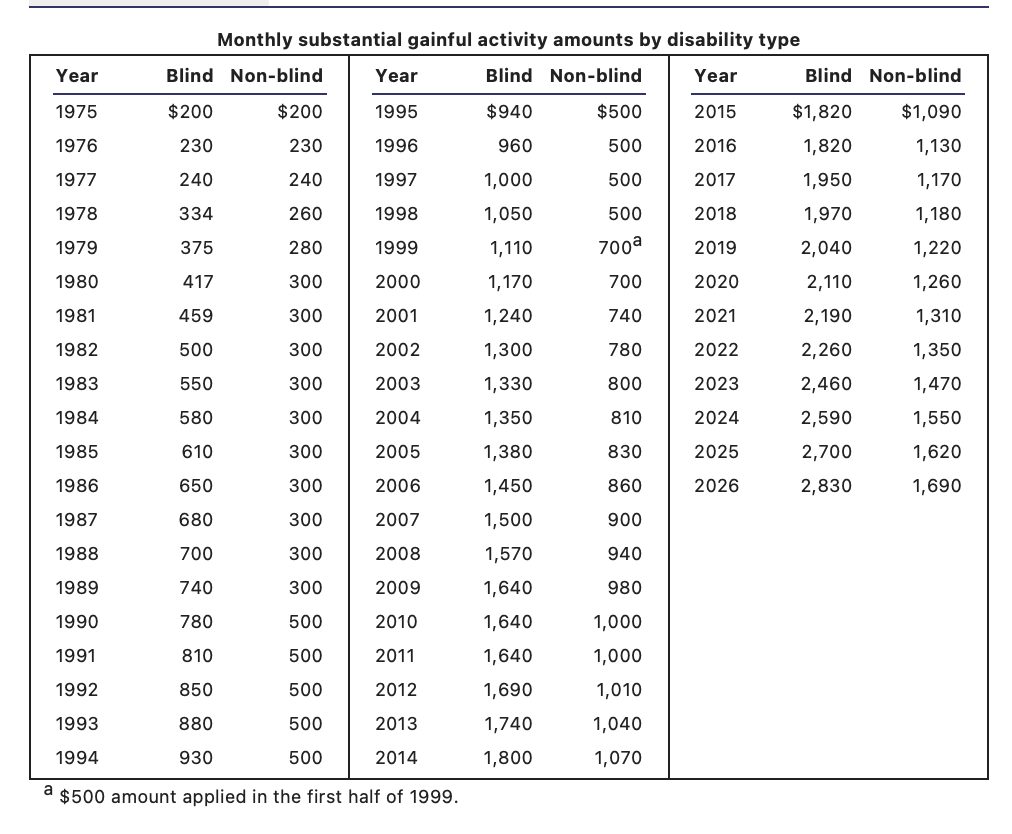
How the Social Security Administration evaluates work activity, earnings, and disability eligibility
By Marilyn R. Donoff April 11, 2026
Social Security's Ticket to Work Program: How It Works, Who Qualifies, and What Happens to Your Benefits
By Zachary P. Lutz March 31, 2026
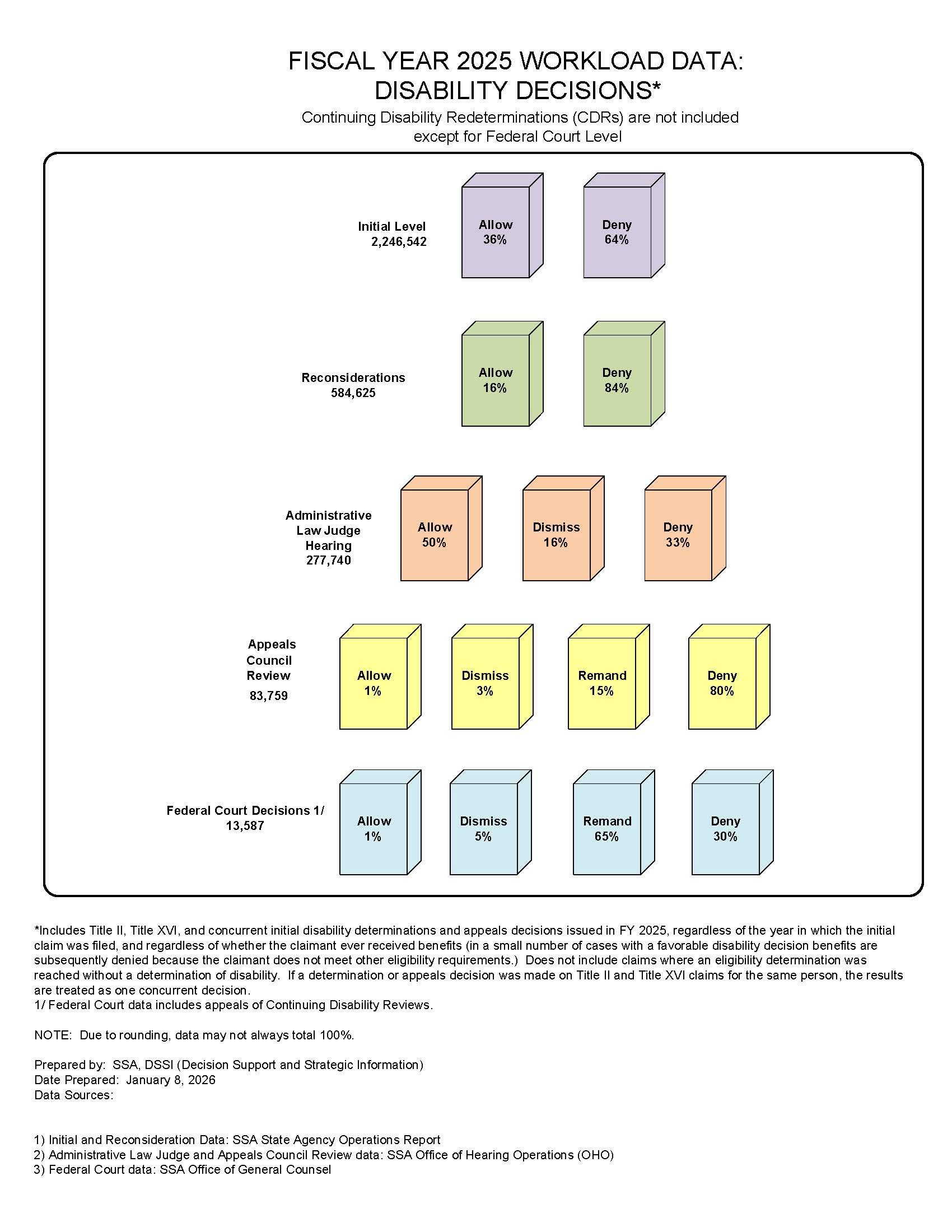
The Social Security Administration has published its annual “waterfall chart” showing the 2025 approval rates at each step of the Social Security disability claims process. As in previous years, claimants had the highest approval rates following hearings before Administrative Law Judges.
By Rebecca R. Fate March 27, 2026
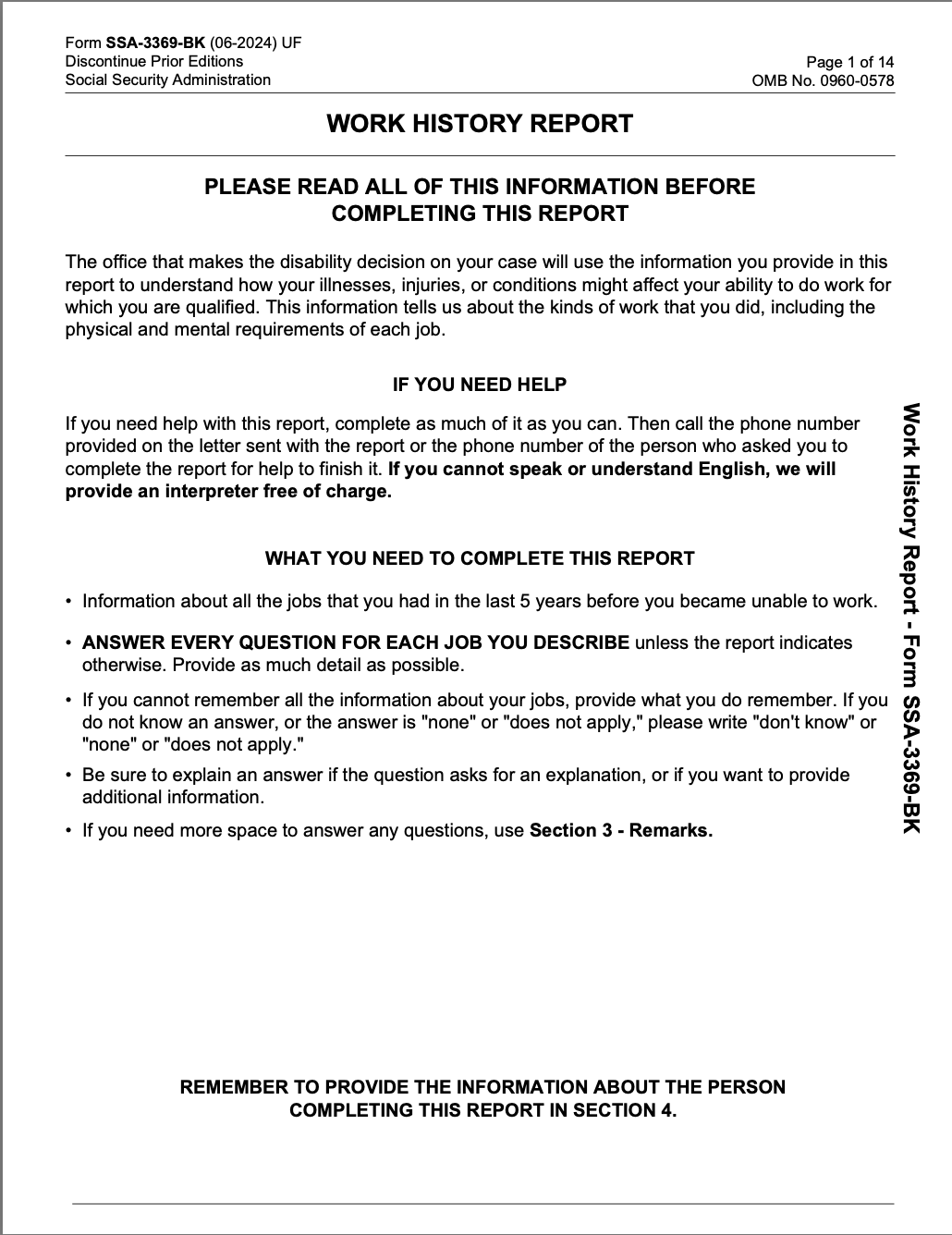
Tell the truth, and add all the important details!
By Zachary P. Lutz February 7, 2026
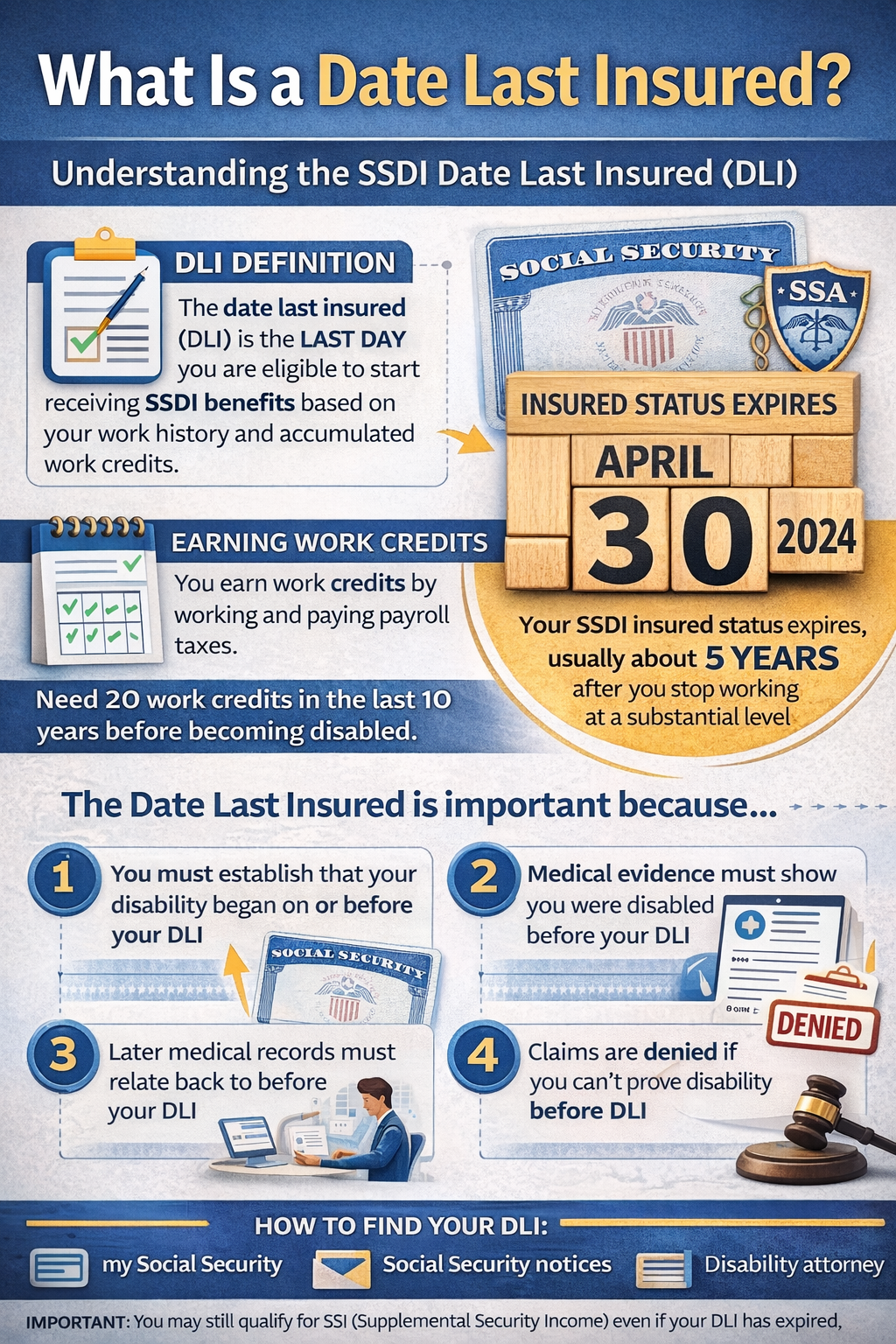
What Is a Date Last Insured?
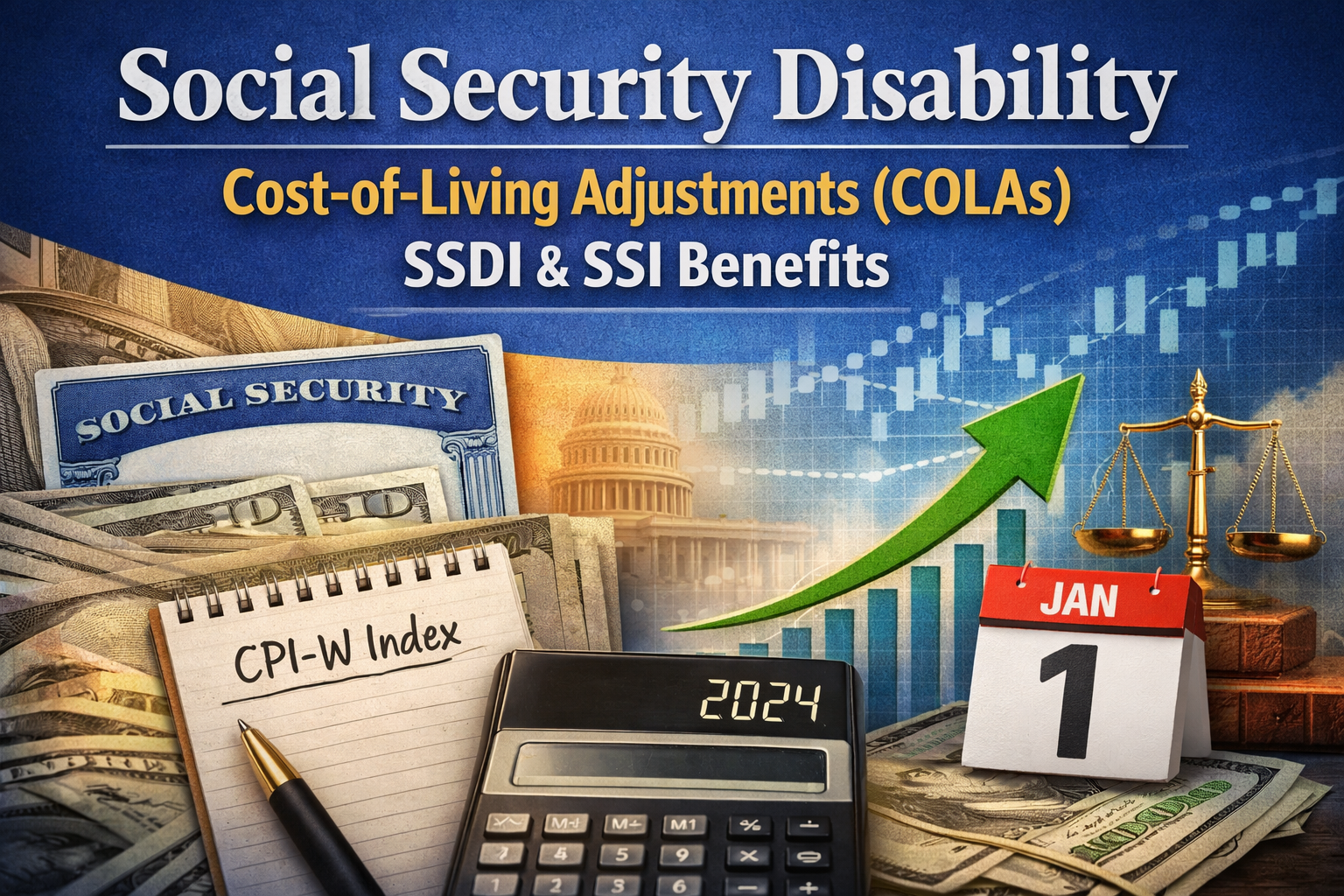
Social Security Disability Cost of Living Adjustments
By Rebecca R. Fate December 23, 2025
Social Security disability COLAs are based on inflation, not discretion. Learn how SSDI and SSI cost-of-living adjustments are calculated and when increases apply.
Domino's Pizza Application and my Social Security accounts
By Zachary P. Lutz November 19, 2025
You should mostly ignore the my Social Security account.
Why Was My Social Security Disability Claim Denied?
By Marilyn R. Donoff October 11, 2025
Even if you have significant medical issues, there are some reasons that your disability claim might have been denied.
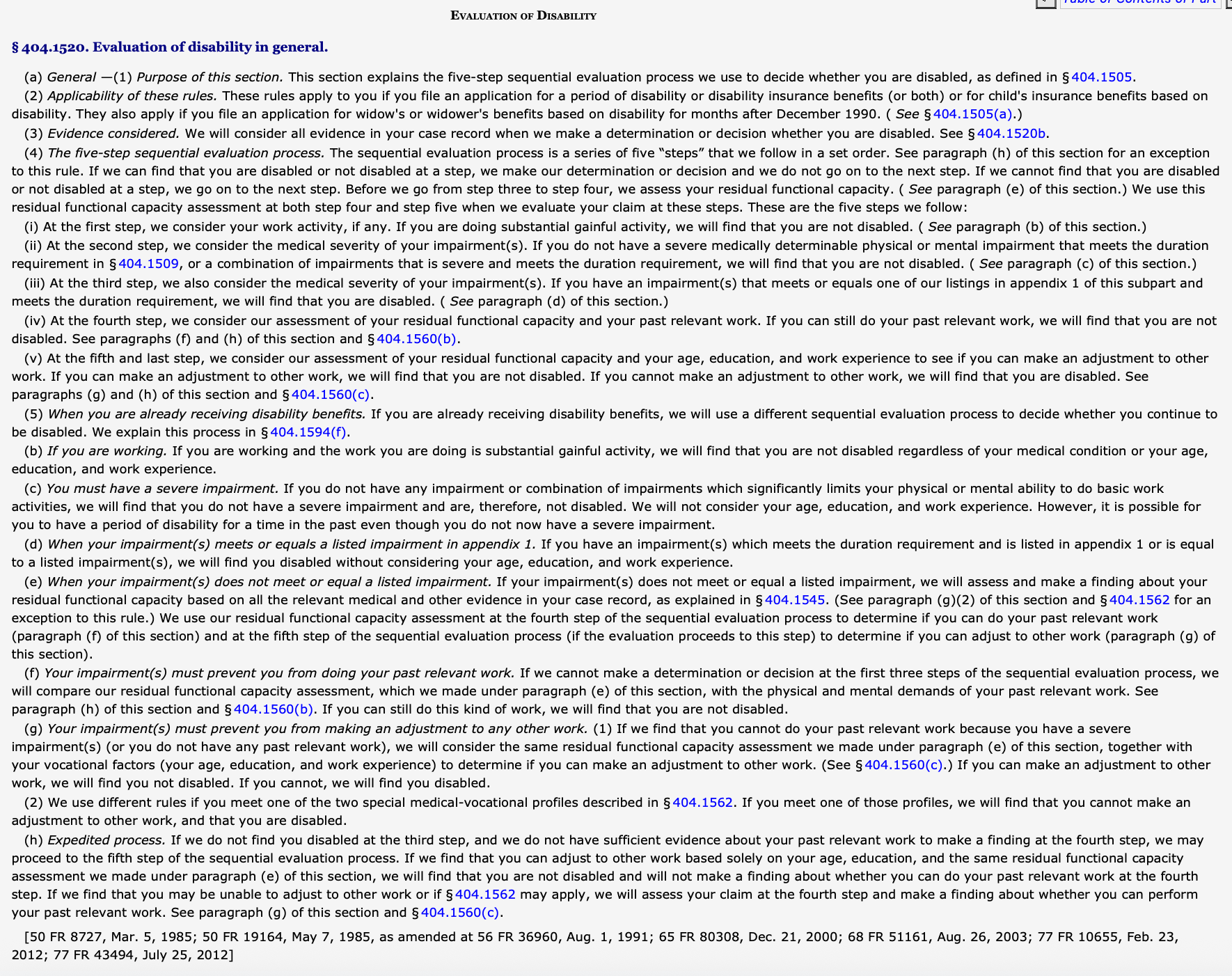
Five Step Sequential Process for Winning Disability Claims
By Zachary P. Lutz September 28, 2025
To receive Social Security Disability benefits, you must meet both medical and non-medical requirements.
Vocational Experts at Social Security Hearings
By Marilyn R. Donoff August 24, 2025
Vocational Experts often determine the outcome of a Social Security disability hearing.
Social Security Disability Initial Claim Approval Rates
By Rebecca R. Fate August 2, 2025
The Social Security Administration Office of the Inspector General (OIG) published a July 2025 report identifying, among other things, how long it takes to receive an initial decision in a Social Security disability claim. While other information has occasionally surfaced about initial claim processing times, the OIG report is presumably the most reliable and trustworthy source. In 2024, an initial disability determination took 238 days to process, on average. But processing times vary widely from state to state. At the quickest, Rhode Island had a five-year processing average of 124.6 days. At the slowest, Alaska had a five-year processing time average of 216.5 days. Given its unique geography, of course, we might spare the Alaska disability determination services unit from harsh criticism. Here in Ohio , we receive a decision within about 4.5 months, on average. Why Disability Claim Wait Times Vary by State Disability processing times vary by state primarily due to differences in state-level resources, staffing levels, and case volumes within each Social Security Disability Determination Services (DDS) office. While the Social Security Administration (SSA) sets national guidelines, each state administers its own DDS, which means local factors—like budget constraints, hiring backlogs, or higher-than-average application rates—can lead to longer or shorter wait times. Additionally, some states may have more experienced staff or streamlined procedures, which can improve efficiency, whereas others might face delays from outdated systems or higher turnover. The Human Cost of Delays in SSDI Decisions Claimants regularly report that these processing times cause immense problems. If you can't work, after all, you won't make any money during the more than seven months (on average) that it will take to receive an initial disability decision. And, of course, many applications will take even longer, whether due to poor luck, difficulties during processing, or state-by-state variation. The majority of claims are also denied at the initial level, and those claims will require more time to appeal. How to Speed Up Your Disability Application To potentially speed up your application, we offer a few tips. 1. Submit a Complete and Accurate Application First, make sure that the initial application is complete and well-documented . Be thorough when describing medical conditions, symptoms, work history, and functional limitations. Incomplete or inconsistent information often leads to delays, or even denials that require appeals. Double-checking all forms for errors and submitting supporting documents with the application can save time and reduce the likelihood of additional requests from the SSA. 2. Respond Promptly to All SSA Requests Second, once a claim is filed, the SSA or DDS might contact an applicant for additional information or to schedule consultative exams. Responding promptly to all phone calls, letters, and requests helps prevent delays. Missing a scheduled exam or failing to return paperwork can stall or derail the decision-making process. 3. Explore Expedited Options if Applicable Finally, SSA will sometimes expedite a claim following a “ dire need ” request—for example, if the applicant is at risk of homelessness. Additionally, the SSA has a “ TERI ” (Terminal Illness) process and Compassionate Allowances (CAL) program to fast-track claims involving certain severe conditions. We will admit that, in our anecdotal experience, these designations do not always seem like they accelerate processing times. Disclaimer: The information provided in this blog is for general informational purposes only and does not constitute legal advice. Reading this blog does not create an attorney-client relationship. For advice specific to your situation, please contact Donoff & Lutz, LLC directly to speak with an attorney.